
TikTok Video Downloader
Download TikTok videos without watermark. Fast, free, and no login required.
Recent Downloads
Why Choose Us
Everything you need to save TikTok content — fast, free and private.
Lightning Fast
Download videos in seconds.
No Watermark
Clean, original quality.
Works Everywhere
Mobile & desktop.
MP3 Support
Extract audio tracks.
HD Quality
Full resolution downloads.
100% Private
No data stored.
Key Features of TokiClip
Everything you need to save TikTok content — download videos, extract audio, and more.
HD & Full HD Download Options
With TokiClip, users can download videos in HD and Full HD quality. This means you don't lose clarity, sharpness, or sound quality during the download process. The original video resolution is preserved as much as possible, giving you a smooth viewing experience on mobile, tablet, or desktop.
No Watermark Downloads
One of the most requested features is the ability to download videos without a watermark. TokiClip offers this optional feature, allowing users to save clean videos for personal use, presentations, or creative inspiration. The result is a distraction-free video file ready to use offline.
Fast Download Speed
Speed matters. TokiClip processes video links quickly so you don't have to wait long. Simply paste the TikTok URL, click download, and your file is ready within seconds. The optimized servers ensure stable and fast performance even during peak usage times.
Audio Downloads (MP3 Format)
Sometimes you only need the sound. TokiClip allows users to extract and download TikTok audio in MP3 format. This is perfect for saving trending sounds, music clips, motivational speeches, or voiceovers without downloading the full video.
Easy-to-Use Interface
The platform is built with a simple and clean design. No complicated steps. No confusing buttons. Just copy the TikTok video link, paste it into the input box, and click download. The user-friendly interface makes it suitable for beginners and advanced users alike.
Multi-Platform Support
TokiClip works smoothly across multiple devices. There's no need to install additional apps. The tool runs directly in your browser, making it accessible anytime, anywhere.
How to Download TikTok Videos
Save any TikTok video without watermark in just 4 easy steps. Works on iPhone, Android, PC — no app needed.
Copy the TikTok Video Link
Open TikTok on your phone or browser, find the video you want to save, tap the Share button, and select 'Copy Link' to copy it to your clipboard.

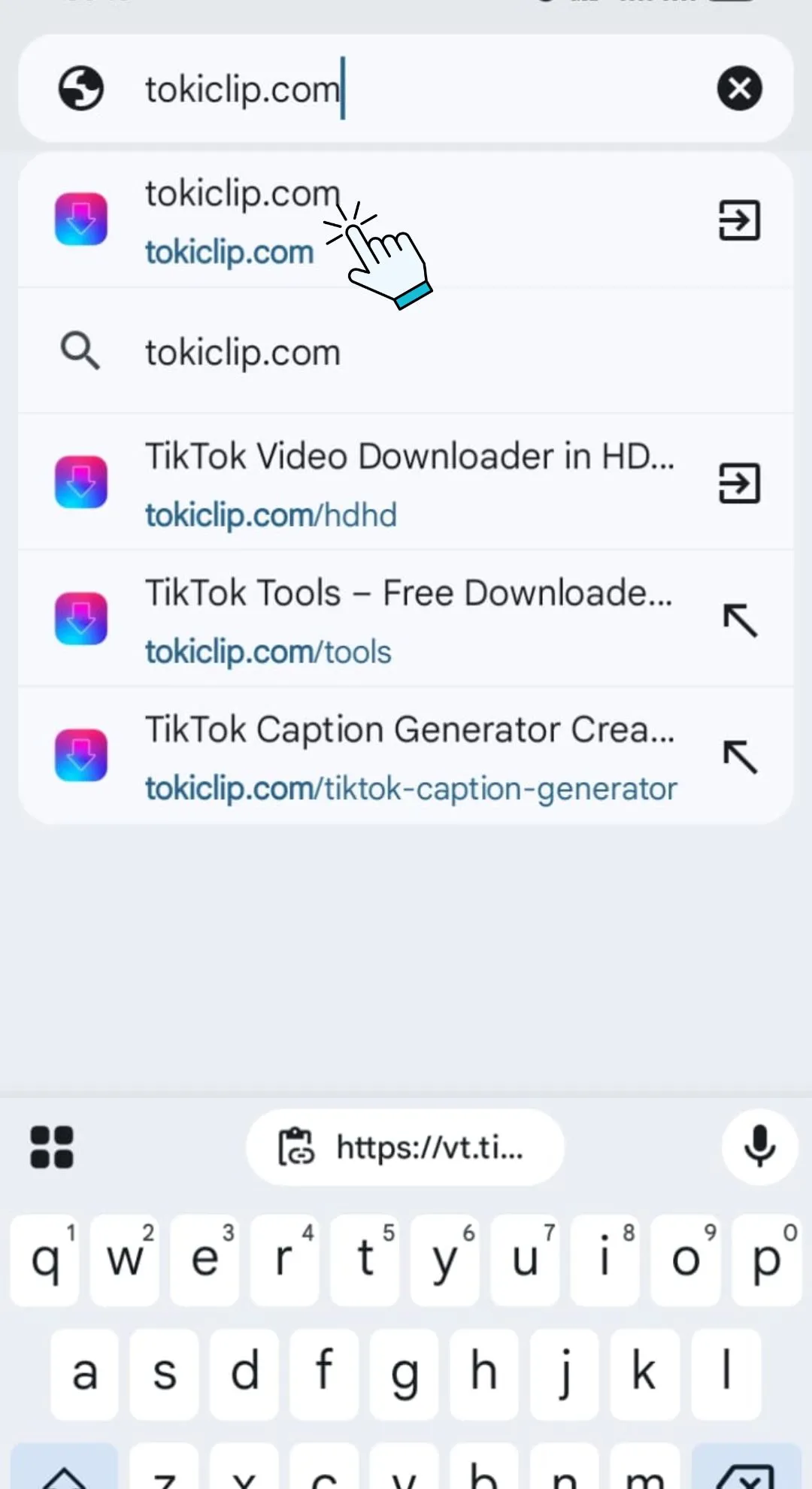
Open TokiClip in Your Browser
Open any browser like Chrome, Safari, or Firefox and visit tokiclip.com — no app download or registration needed.
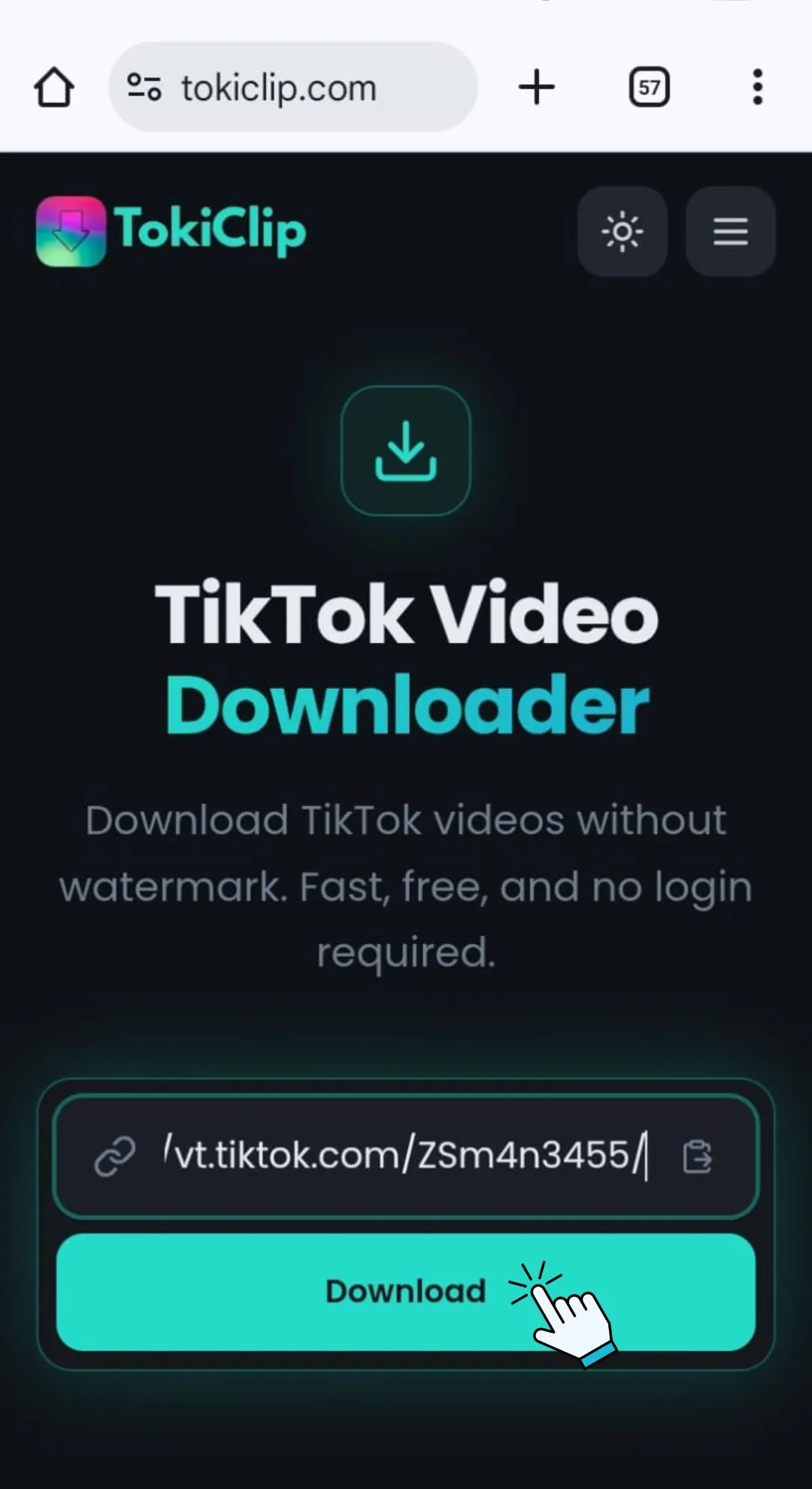
Paste the Link & Hit Download
Paste the copied TikTok link into the input box on TokiClip and tap the Download button. Your video will be processed instantly.
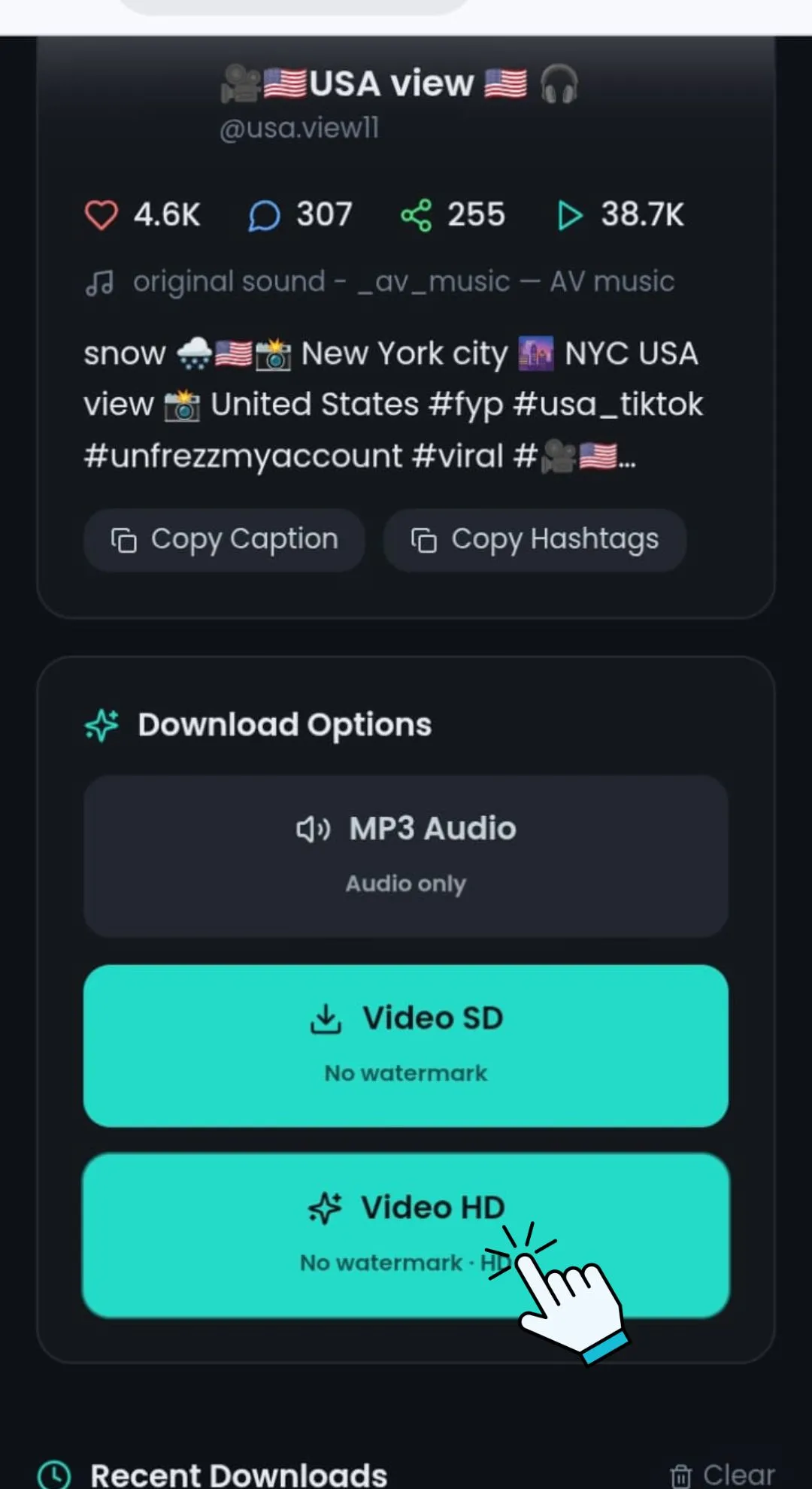
Choose Format & Save to Device
Select your preferred format — MP4 video in HD or SD quality, or MP3 audio. Tap the download button and the file saves directly to your device.
Unlimited TikTok Downloads with No Login Required
TokiClip gives you complete freedom to download TikTok videos without limits — no daily caps, no hidden restrictions, no subscription barriers.
Unlimited Downloads
Download as many TikTok videos as you want with zero daily limits or caps. There are no hidden restrictions or quotas.
No Login Required
You don't need to create an account, enter your email, or share personal details. Complete anonymity and privacy.
Instant Access
Start downloading immediately. No sign-up process, no verification steps, no waiting periods. Just paste and download.
No Hidden Costs
TokiClip is completely free. No subscription fees, no premium tiers, no surprise charges. Download freely forever.
Safety Tips While Using TikTok Downloaders
Using a TikTok video downloader can be convenient, but safety should always come first. Follow these simple tips to protect your device and personal data.
Use Trusted Websites Only
Always choose reliable and well-known downloader tools. Avoid suspicious sites filled with pop-ups or automatic redirects. A secure website should use HTTPS and have a clean, professional layout.
Avoid Sharing Personal Information
A good TikTok downloader does not require registration, login details, or personal data. If a site asks for sensitive information, leave immediately.
Beware of Fake Download Buttons
Some websites display multiple fake "Download" buttons. Click only the main download option related to your video link.
Scan Files for Malware
Although most online downloaders provide safe files, it's smart to keep antivirus software active on your device for extra protection.
Respect Copyright Rules
Download videos for personal use only. Do not repost or reuse content without the creator's permission.
Online TikTok Downloader for PC, Android & iOS
A modern TikTok video downloader should work smoothly across all devices. Whether you're using a desktop computer or a smartphone, the process should remain simple and fast.
For PC & Laptops
Open your browser, paste the TikTok video link, and download the file directly. No extra software is required.
For Android Devices
TokiClip works directly in your mobile browser. Copy the TikTok link from the app, paste it into the downloader, and save the video to your gallery.
For iPhone & iPad (iOS)
Using Safari or another browser, paste the link into the downloader and save the file to your Files or Photos app. The process is smooth and requires no app installation.
This multi-platform compatibility ensures you can download TikTok videos anytime, anywhere.
Privacy & Data Protection
TokiClip respects your privacy. This tool does not store any videos or personal data on its servers. All downloads are processed in real time with zero archival.
No Data Storage
TokiClip does not store any videos or personal data on its servers. All downloads are processed in real time, and no copies are archived after delivery.
Privacy First
We don't track your download history, store video metadata, or collect analytics about what you download. Your activity remains completely private.
No Personal Information Required
You are not required to create an account, log in, or share any personal information. Simply paste a public TikTok link and download.
Instant Processing
Videos are processed and delivered to you instantly. The file is generated on demand and not retained on our servers after generation.
Frequently Asked Questions
Find answers to common questions about TokiClip and how to download TikTok videos.
How to download video from a link?
How to download TikTok directly?
How to download videos from TikTok One?
What is the best TikTok downloader?
How to download a video from TikTok without the download button?
Which site is best to download videos?
How to download video from videos?
How to download viral link video?
What's the best video downloader?
Do I have to pay to use TikTok download without watermark?
Do I need to install an extension to use the TikTok Downloader?
How can I convert TikTok to MP4 using a TikTok downloader app?
Works on All Browsers
Compatibility is essential for a seamless user experience. A reliable TikTok downloader should function across all major web browsers without errors or delays.
Supported Browsers Include:
Because the tool is web-based, there is no need to update or install plugins. Simply access the website through your preferred browser, paste the TikTok URL, and download instantly.
More Free TikTok Tools
Downloaders, AI generators, and analytics — all in one place, all free.
TikTok Audio Downloader
Extract MP3 audio from any TikTok video.
TikTok Photo Downloader
Download TikTok photo slideshow images in HD.
TikTok Thumbnail Downloader
Grab the cover thumbnail from any TikTok video.
TikTok Profile Picture Downloader
Save any TikTok profile picture in full HD.
TikTok Private Video Downloader
Save your own private TikTok videos.
TikTok Story Downloader
Download TikTok stories before they disappear.
TikTok Title Generator
Generate viral TikTok video titles with AI.
TikTok Caption Generator
Write engaging TikTok captions in seconds.
TikTok Hashtag Generator
Find trending TikTok hashtags for any niche.
TikTok Username Generator
Brainstorm catchy TikTok usernames with AI.
TikTok Username Search
Look up any TikTok user and view their stats.
TikTok Engagement Calculator
Estimate your TikTok engagement rate instantly.
TikTok Money Calculator
See how much TikTok creators earn per post.
TikTok Comment Picker
Run fair giveaways with random comment picking.
TikTok Comment Generator
Mock up TikTok comments for memes and demos.
TikTok Followers Generator
10 personalised, organic TikTok growth strategies for any niche.
TikTok Font Generator
Stylish unicode fonts for TikTok bios and captions.
TikTok QR Code Generator
Create a scannable QR code for your TikTok profile.