
TikTok Private Video Downloader
Download private TikTok videos in HD quality — no watermark, no login, completely free.
What Is the TikTok Private Video Downloader?
Save private TikTok videos in crystal-clear HD without watermarks — built for backups and authorized access.
The TikTok Private Video Downloader by TokiClip is a powerful, free online tool designed to help you save private TikTok videos directly to your device in high-definition quality. Unlike standard TikTok Video Downloaders that only work with public content, this specialized tool is built to handle private video links — allowing you to download content that isn’t publicly listed on TikTok’s discover page or search results.
TikTok’s privacy settings allow creators to restrict who can view their videos. When a video is set to "private" or "friends only," it becomes inaccessible through conventional download methods. Our Private Video Downloader bridges this gap by processing the direct video link, extracting the media file, and delivering it to you in crystal-clear HD quality without any watermark overlay.
Whether you’re a content creator who wants to back up your own private drafts, a social media manager archiving client content, or simply someone who received a private video link from a friend — TokiClip makes it effortless to save that content for offline viewing. Pair this tool with our Thumbnail Downloader, Photo Downloader or Profile Picture Downloader to grab every part of a post.
Why Do You Need a Private TikTok Video Downloader?
There are many legitimate reasons to save a private TikTok video. Here are the most common ones.
Backing Up Your Own Content
As a TikTok creator, you may have dozens of videos set to private — drafts, unlisted experiments, or content you’ve removed from public view but still want to keep. Our downloader lets you export your own private videos in full HD so you can store them safely on your computer, external drive, or cloud storage.
Social Media Management
Social media managers and digital marketing professionals often need to archive campaign content, review private draft videos shared by clients, or compile content libraries for reporting purposes. Instead of screen recording which loses quality, our tool extracts the original video file cleanly.
Saving Shared Content
Sometimes a friend or family member shares a private TikTok video link with you — perhaps a personal memory or a creative piece they haven’t made public yet. Rather than hoping the link stays active forever, you can download the video and keep it safely stored on your device.
Content Research
Researchers studying social media trends and creators looking for inspiration sometimes need to analyze content behind privacy walls. When they have legitimate access to private video links with permission, our downloader provides a clean way to save reference material.
How Does the Private Video Downloader Work?
Behind the scenes: smart link parsing + direct CDN access + clean watermark-free delivery.
Our tool uses advanced media extraction technology to process TikTok video links and retrieve the underlying video file. When you paste a TikTok video URL into our input field, our system first analyzes the link structure. TikTok uses various URL formats — short links (vm.tiktok.com), web links (tiktok.com/@user/video/ID), and mobile deep links. Our parser recognizes all of these formats and extracts the unique video identifier.
Using the extracted video ID, our servers communicate with TikTok’s content delivery network to locate the original video file. This process involves resolving redirects, handling authentication tokens embedded in the URL, and identifying the highest quality stream available. Once the video source is identified, we process it to remove any watermark overlays, delivering a clean file that maintains the original resolution — whether 720p, 1080p, or even 4K.
The processed video is then delivered to your browser via a secure, encrypted connection. You can preview the video before downloading and choose your preferred format. The entire process typically takes just a few seconds, even for longer videos.
Device-Specific Download Guides
Step-by-step instructions for the device you’re actually on.
iPhone (iOS)
Open Safari or Chrome, navigate to TokiClip, and paste the video link. The video will be saved to your Files app or Photos library depending on your browser settings.
Android
Use Chrome, Firefox, or any browser. Paste the link, tap Download, and the video will automatically save to your Downloads folder accessible through your file manager.
Desktop
Open any browser, paste the link, click Download, and choose where to save. Desktop browsers offer the fastest speeds and most straightforward experience.
Privacy and Ethical Considerations
Our tool gives you the technical capability — please use it responsibly. Private videos are restricted for a reason.
Download Only What You Own
Only download your own content or content you have explicit permission to save.
Do Not Redistribute
Never redistribute private videos on other platforms without the creator’s consent.
Respect Intellectual Property
The original creator retains all rights regardless of privacy settings.
Personal Use Only
Use downloaded private videos for personal backup, offline viewing or authorized professional use.
Report Misuse
If you become aware of someone misusing privately shared content, report it to TikTok.
Be a Good Neighbor
Privacy settings exist for a reason. Treat private content the way you’d want yours treated.
Why Choose TokiClip Over Other Downloaders?
Clean UI, no installs, no malware, no shady tracking — just a fast, reliable downloader.
The internet is full of TikTok video downloaders, but most fall short in critical areas. TokiClip offers a clean, ad-free experience with no pop-ups or redirect pages. There’s no malware risk since everything is web-based with zero installation required.
Our infrastructure is regularly updated to keep pace with TikTok’s evolving platform, ensuring consistent reliability. We clearly explain how our tool works — no hidden data harvesting or tracking cookies. And TokiClip is continuously improved with new features, better performance, and expanded compatibility based on user feedback. Try our other tools too: Audio Downloader, Thumbnail Downloader and Username Search.
Why Use TikTok Private Video Downloader?
Everything you need to back up private TikTok videos in clean, original HD.
Private Videos
Download videos with restricted privacy settings using the direct link.
HD Quality
Save videos in original 1080p resolution without any quality loss.
Lightning Fast
Download any private video in seconds with our optimized servers.
No Watermark
Get clean video files without the TikTok watermark overlay.
All Devices
Works on iPhone, Android, tablet, and desktop — no app needed.
Free & Unlimited
No registration, no limits. Download as many videos as you want.
How to Download a Private TikTok Video
Save any private TikTok video you have access to in 4 easy steps. Works on iPhone, Android and PC — no app needed.
Open the Private Video in TikTok
Open TikTok on your phone or desktop and find the private video you want to download. You must already have access to it — your own draft, an unlisted post, or a video shared with you.
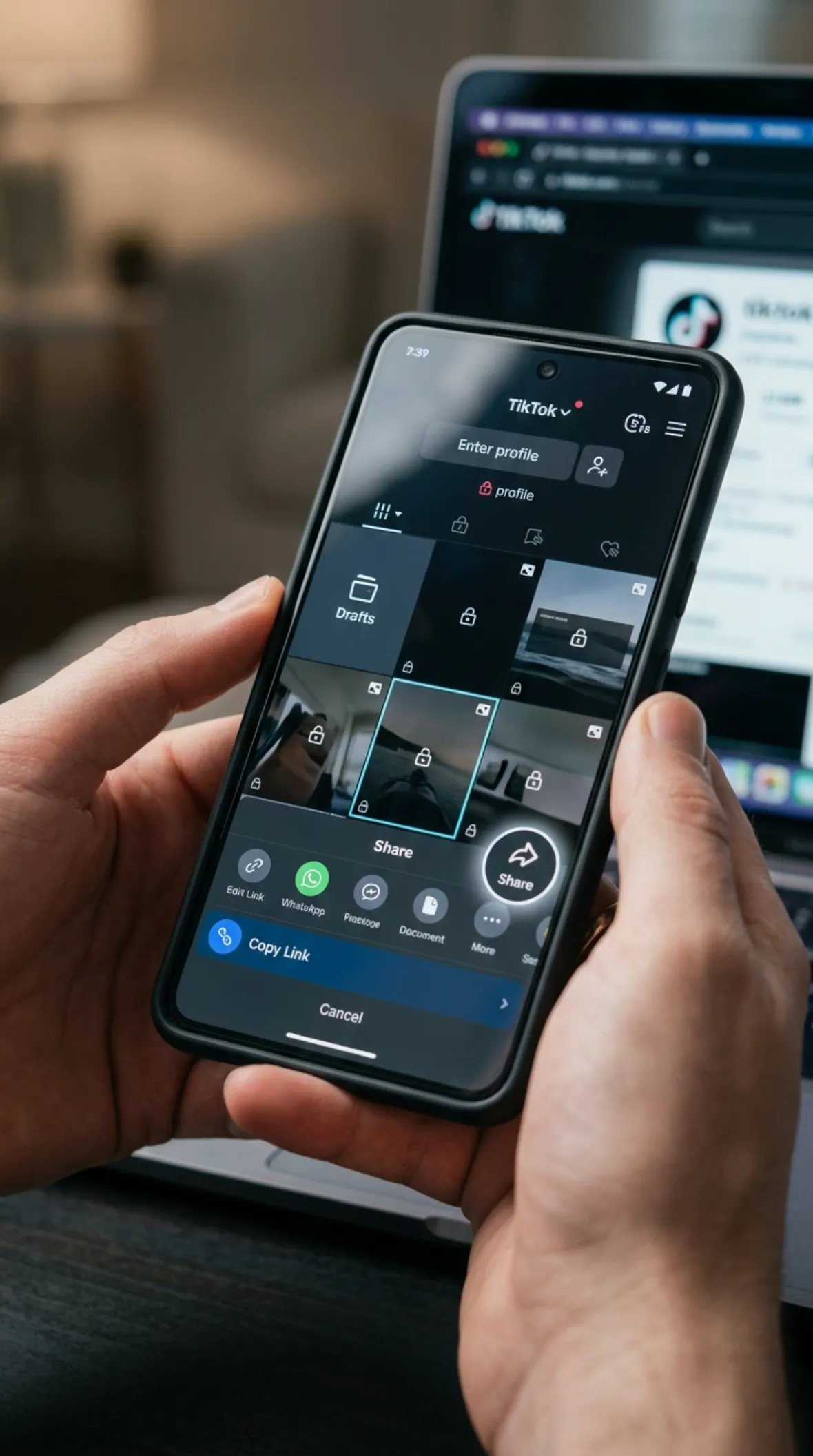
Copy the Share Link
Tap the Share button on the video and choose "Copy Link" to put the temporary share URL on your clipboard.
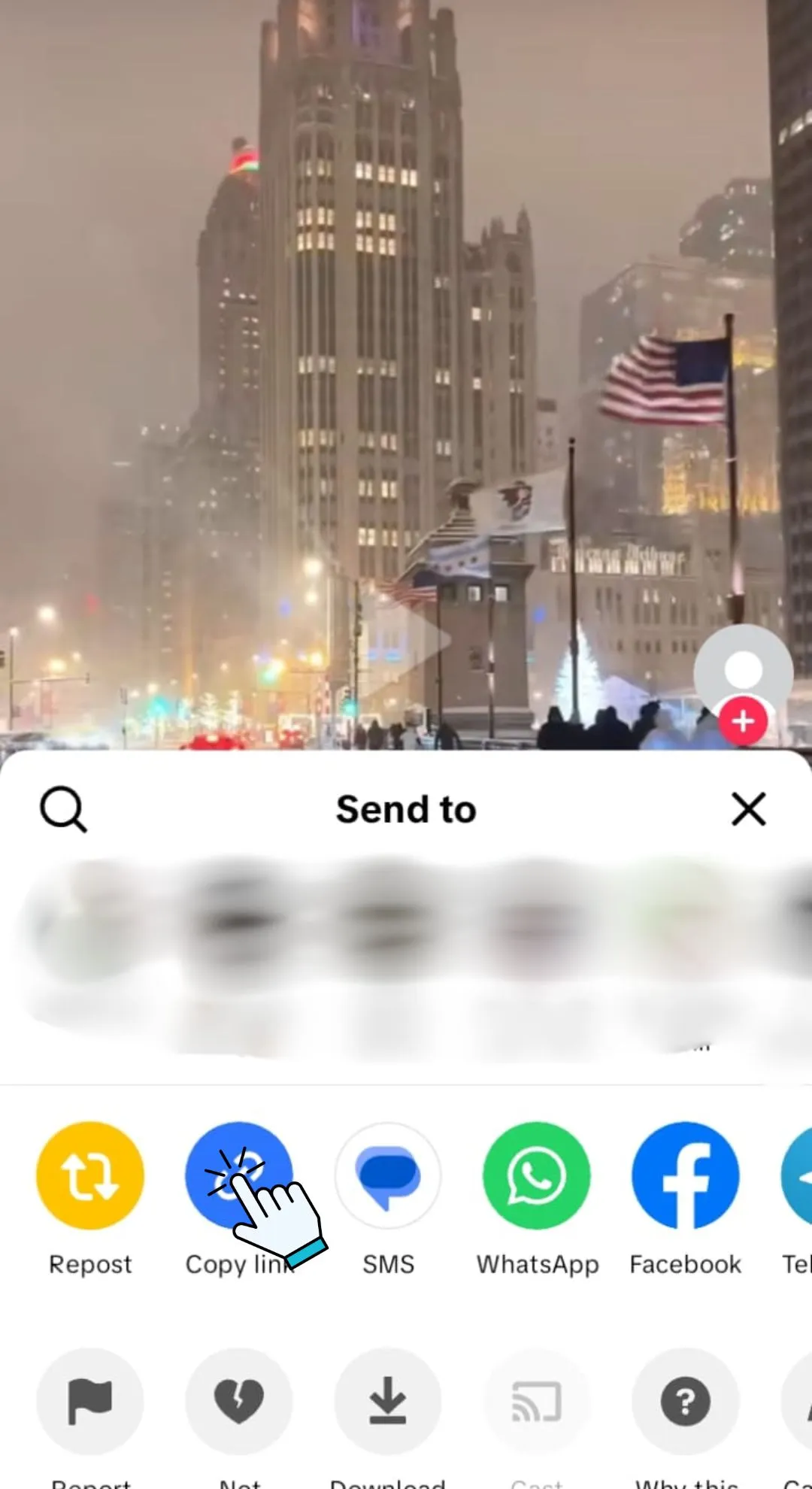
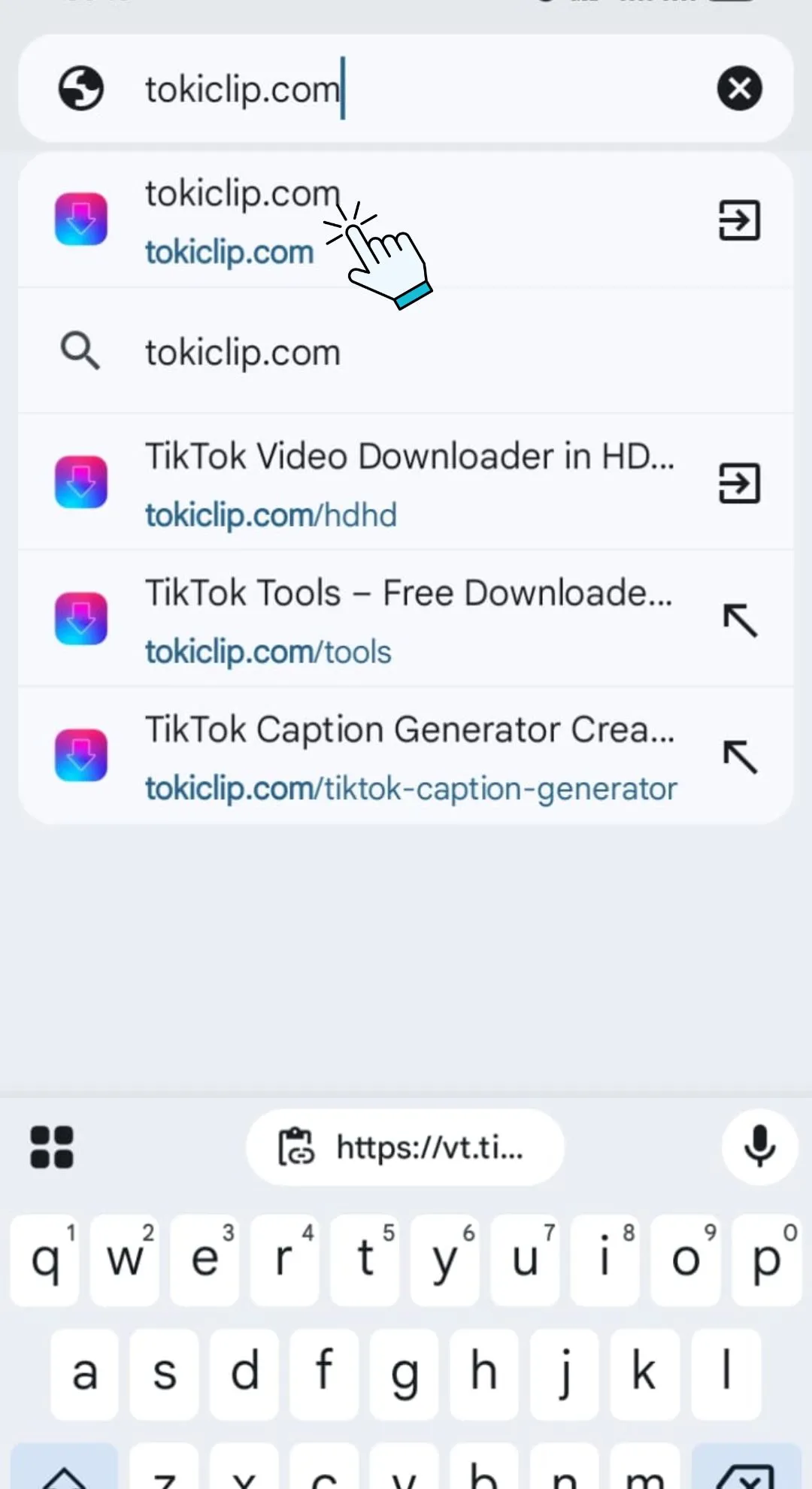
Paste into TokiClip
Open TokiClip in your browser and paste the copied private video link into the input field above, then click "Download".
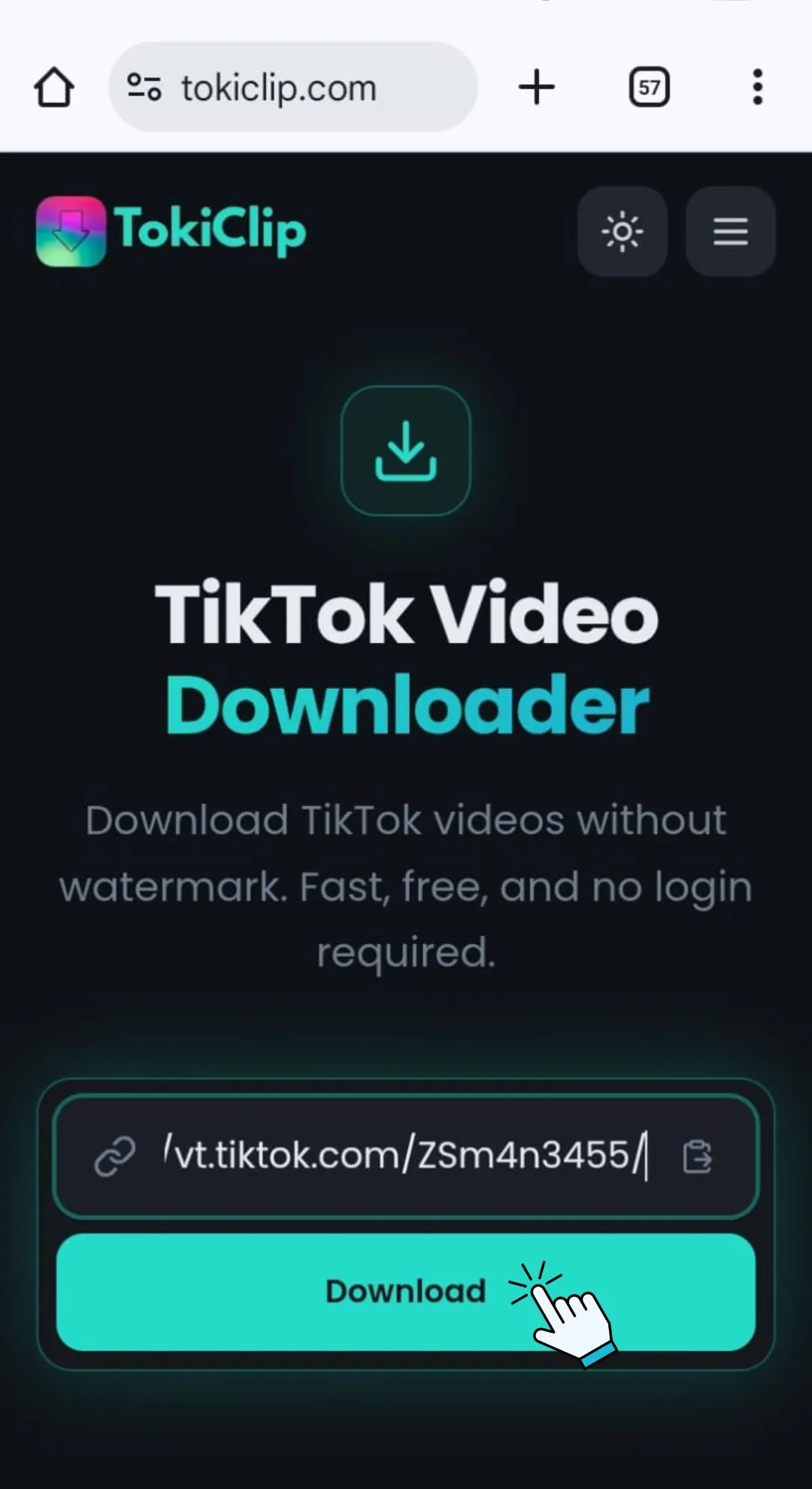
Download in HD
Preview the video and click the Download button to save the clean, watermark-free HD file to your device.
Private Video Downloader FAQ
Quick answers to the most common questions about saving private TikTok videos.
Can I really download private TikTok videos?
Is it legal to download private TikTok videos?
Do I need to log in to download private videos?
What video quality is available?
Does TokiClip store my downloaded videos?
Does it work on iPhone and Android?
Is the download free?
Can I download videos without watermark?
More Free TikTok Tools
Everything else creators need — downloaders, AI generators and analytics, all free.
TikTok Video Downloader
Download TikTok videos in HD without watermark.
TikTok Audio Downloader
Extract MP3 audio from any TikTok video.
TikTok Photo Downloader
Download TikTok photo slideshow images in HD.
TikTok Thumbnail Downloader
Grab the cover thumbnail from any TikTok video.
TikTok Profile Picture Downloader
Save any TikTok profile picture in full HD.
TikTok Story Downloader
Download TikTok stories before they disappear.
TikTok Title Generator
Generate viral TikTok video titles with AI.
TikTok Caption Generator
Write engaging TikTok captions in seconds.
TikTok Hashtag Generator
Find trending TikTok hashtags for any niche.
TikTok Username Generator
Brainstorm catchy TikTok usernames with AI.
TikTok Username Search
Look up any TikTok user and view their stats.
TikTok Engagement Calculator
Estimate your TikTok engagement rate instantly.
TikTok Money Calculator
See how much TikTok creators earn per post.
TikTok Comment Picker
Run fair giveaways with random comment picking.
TikTok Comment Generator
Mock up TikTok comments for memes and demos.
TikTok Followers Generator
10 personalised, organic TikTok growth strategies for any niche.
TikTok Font Generator
Stylish unicode fonts for TikTok bios and captions.
TikTok QR Code Generator
Create a scannable QR code for your TikTok profile.