
TikTok Story Downloader
Save TikTok Stories before they disappear. Download without watermark in HD quality — no login, no limits.
What Is a TikTok Story Downloader?
Save TikTok Stories permanently — before the 24-hour timer runs out and they’re gone forever.
A TikTok Story Downloader is an online tool specifically built to help users save TikTok Stories directly to their devices. TikTok Stories are short, temporary posts that creators share with their followers. Unlike standard TikTok videos that remain on a profile indefinitely, Stories disappear after a limited time — usually within 24 to 48 hours. This makes it difficult for viewers to revisit or keep the content once it expires.
TokiClip’s TikTok Story Downloader solves this problem by allowing you to copy a public Story link, paste it into the tool, and download the content in high-definition MP4 format — all without requiring any login, registration or software installation. The process takes only a few seconds, making it one of the fastest and most convenient ways to preserve Stories before they vanish.
Whether you want to save a cooking tutorial, a travel vlog, a motivational clip, or a behind-the-scenes moment shared by your favorite creator, a TikTok Story Downloader gives you the freedom to keep that content permanently on your phone, tablet or computer.
How Does the TikTok Story Downloader Work?
Three quick taps on TikTok, one paste in TokiClip — and the HD MP4 lands on your device.
Using the TikTok Story Downloader is straightforward. First, open TikTok and navigate to the Story you want to save. Tap the share button and select "Copy Link" to copy the Story’s URL. Then visit TokiClip, paste the link into the input field and press the Download button. Within seconds, the tool will process the link and generate a downloadable file in MP4 format.
The entire workflow happens in your browser — no app installation is needed and no personal data is collected during the process. The tool works equally well on desktop browsers like Chrome, Firefox, Safari and Edge, as well as mobile browsers on Android and iOS devices.
Why TikTok Stories Are Different from Regular Videos
Stories are designed to vanish. That’s exactly why a dedicated downloader matters.
The key difference between TikTok Stories and regular TikTok videos lies in their availability. Standard videos posted to a creator’s profile remain accessible unless the creator manually deletes them. Stories, on the other hand, are designed to be ephemeral — they automatically expire and are removed from the platform after a set period.
This temporary nature means that if you don’t save a Story in time, it’s gone forever. A dedicated TikTok Story Downloader is essential for anyone who wants to archive important or entertaining Stories before the clock runs out. Need to download regular TikTok videos instead? We’ve got that covered too.
Who Can Benefit from This Tool?
From creators backing up their own work to fans saving favourite moments — Story Downloader fits everyone.
The TikTok Story Downloader is useful for a wide range of people. Content creators can use it to back up their own Stories for repurposing on other platforms like Instagram Reels, YouTube Shorts or personal blogs. Social media managers can archive client content for reporting and analysis. Students and educators can save informative or tutorial-based Stories for future reference.
Casual users who simply enjoy watching entertaining Stories can also benefit by saving their favourite moments before they disappear. You can also extract audio from any TikTok video, or download thumbnails for visual reference.
Important Considerations
Use Stories you saved with respect — creator rights and privacy still apply.
While TokiClip makes downloading TikTok Stories easy, it’s important to use the tool responsibly. Only download Stories that are publicly available, and always respect the intellectual property rights of content creators. Do not redistribute or claim ownership of downloaded content without proper permission from the original creator.
Additionally, keep in mind that private or restricted Stories cannot be accessed or downloaded by any third-party tool. TokiClip only processes links to publicly shared Stories. If a link doesn’t work, it may be because the Story has already expired or has been set to private by the creator. For private content you have access to, use our Private Video Downloader instead.
Why Use TokiClip for TikTok Stories?
Everything you need to grab Stories quickly, cleanly and in original quality before the timer ends.
HD Quality Downloads
Download TikTok Stories in high resolution without losing clarity.
No Watermark Option
Save Stories without visible watermarks when available.
Fast Processing Speed
Instantly process Story links and receive your file within seconds.
No Login Required
No account creation or personal information needed.
MP4 Format Support
All Stories are converted into MP4 format, widely supported everywhere.
Mobile & Desktop Friendly
Works smoothly on PC, Android, iPhone and tablets.
Unlimited Downloads
Download as many TikTok Stories as you want without restrictions.
Secure & Private
No videos stored on servers. Your download activity is not tracked.
How to Download TikTok Stories
Save any public TikTok Story in 4 simple steps. Works on iPhone, Android and PC — no app, no login, no limits.
Step 1
Copy the Story Link
Open TikTok on your phone, view the Story you want to keep, tap the share button and select "Copy Link". This puts the Story URL on your clipboard.

Step 2
Open TokiClip in Your Browser
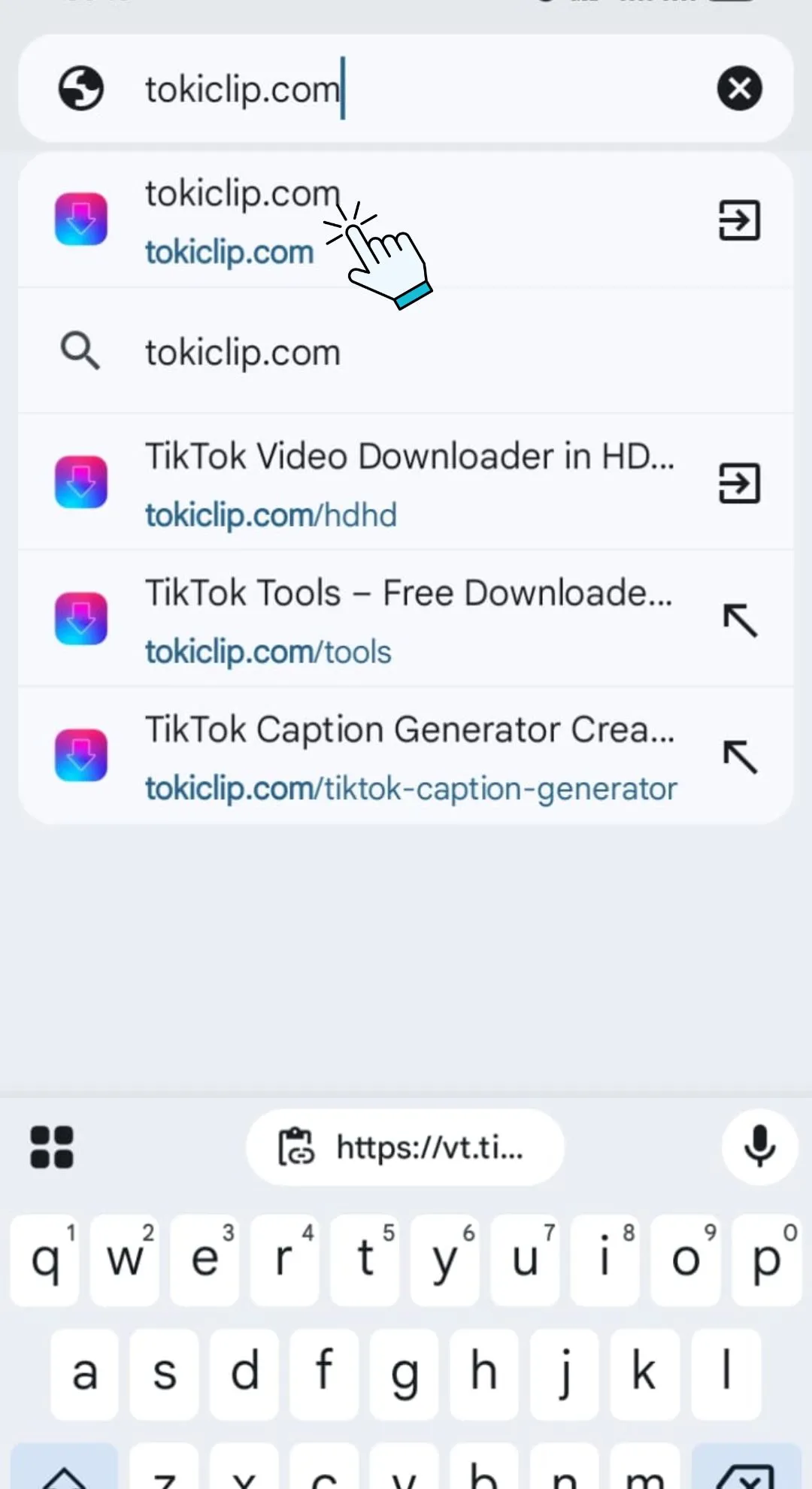
Open any browser Chrome, Safari, Firefox, Edge and visit tokiclip.com. No app download or registration is required to use the tool.
Step 3
Paste the Link & Hit Download
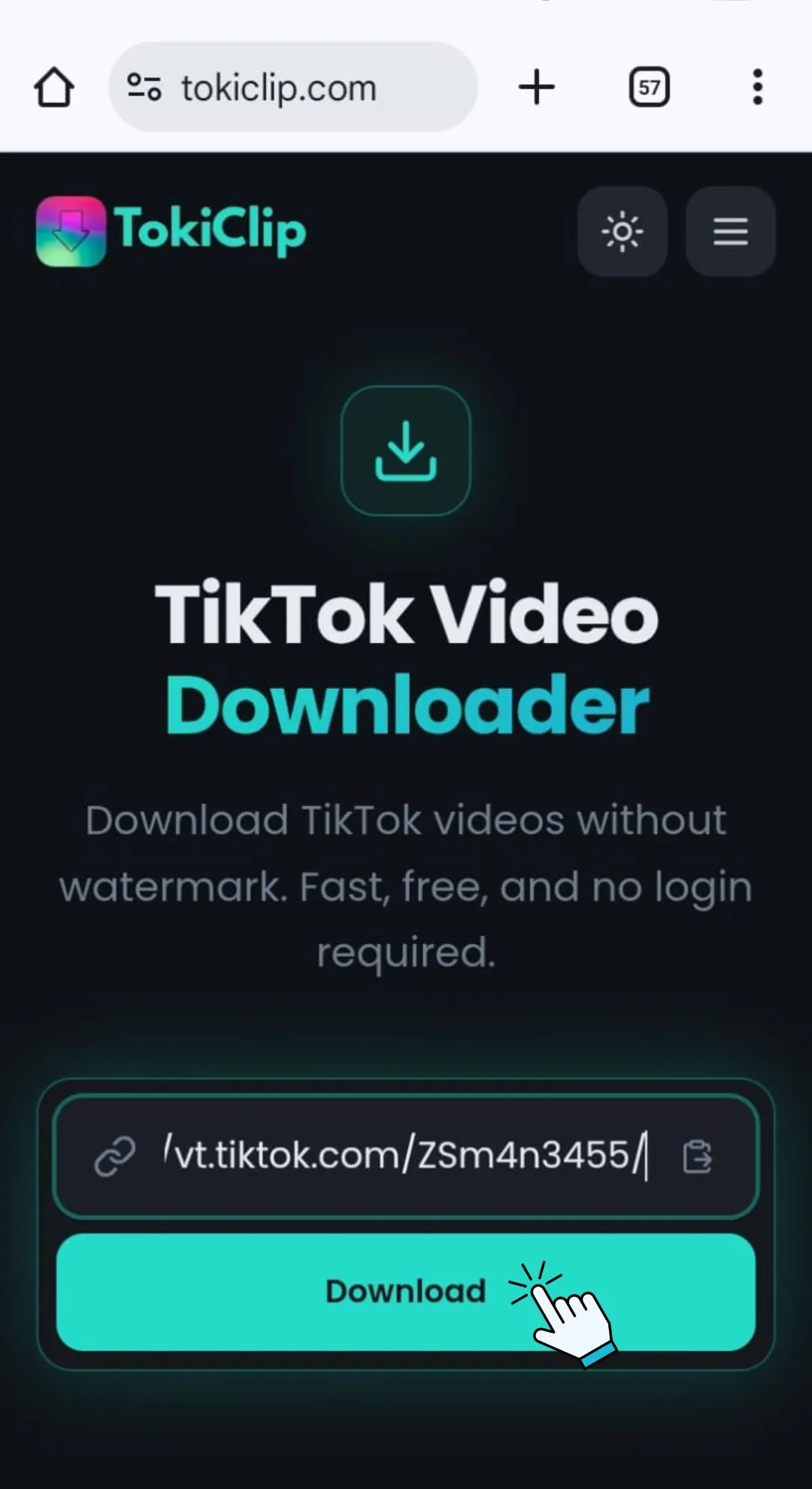
Paste the copied link into the input field on this page and click the Download button. TokiClip will process the Story and prepare a clean MP4.
Step 4
Choose Format & Save
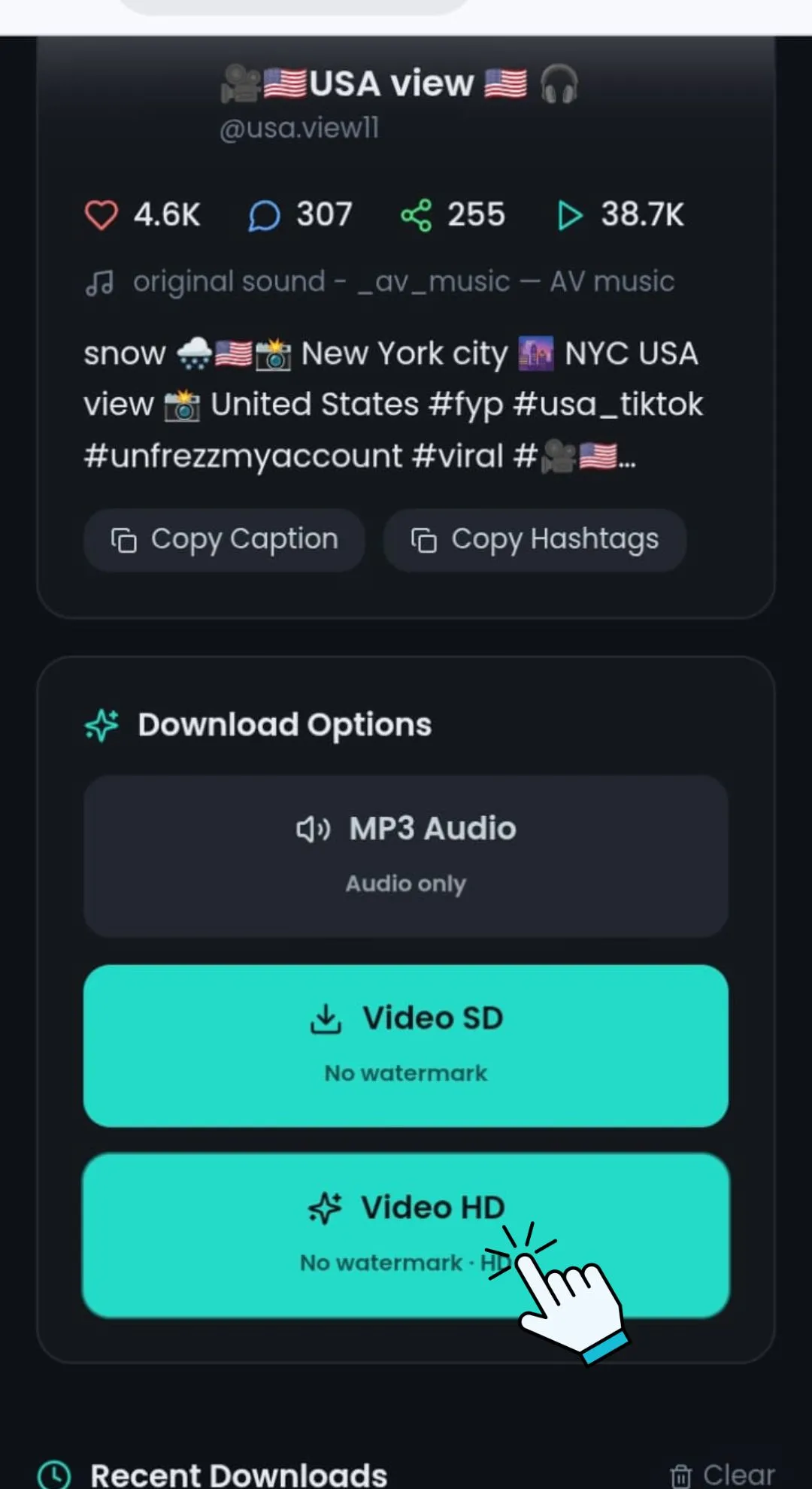
Select your preferred quality — HD or SD in MP4 format — and save the file directly to your device for permanent offline viewing.
Works on All Devices
No software installation is required. Download Stories directly through your browser — anywhere, on any device.
PC & Laptop
Access TokiClip through any modern browser like Chrome, Firefox, Safari or Edge and download Stories instantly with no software install.
Android Devices
Copy the Story link from the TikTok app and paste it into the downloader using Chrome or another browser. The MP4 lands in your Downloads folder.
iPhone & iPad
Use Safari or your preferred browser to paste the link and save the file directly to your Files app or Photos library.
Safety & Privacy Policy
Your privacy matters. We’re committed to protecting your data while you use TokiClip.
No Data Collection
No personal information is collected or stored. Use the tool anonymously every single time.
Secure Connection
Secure HTTPS connection protects your browsing session from start to finish.
No Server Storage
No videos are stored on our servers. Temporary processing only — files are streamed straight to you.
Respect Creator Rights
Users are encouraged to respect copyright and creator rights when downloading Stories. Download for personal use only.
TikTok Story Downloader FAQ
Quick answers to the most common questions about saving TikTok Stories.
How do I download a TikTok story?
Can I download stories without watermark?
Do TikTok stories expire?
Is it free to download TikTok stories?
Story link not working?
Video not downloading?
Watermark still appearing?
Download speed too slow?
File won’t play after download?
More Free TikTok Tools
Everything else creators need — downloaders, AI generators and analytics, all free.
TikTok Video Downloader
Download TikTok videos in HD without watermark.
TikTok Audio Downloader
Extract MP3 audio from any TikTok video.
TikTok Photo Downloader
Download TikTok photo slideshow images in HD.
TikTok Thumbnail Downloader
Grab the cover thumbnail from any TikTok video.
TikTok Profile Picture Downloader
Save any TikTok profile picture in full HD.
TikTok Private Video Downloader
Save your own private TikTok videos.
TikTok Title Generator
Generate viral TikTok video titles with AI.
TikTok Caption Generator
Write engaging TikTok captions in seconds.
TikTok Hashtag Generator
Find trending TikTok hashtags for any niche.
TikTok Username Generator
Brainstorm catchy TikTok usernames with AI.
TikTok Username Search
Look up any TikTok user and view their stats.
TikTok Engagement Calculator
Estimate your TikTok engagement rate instantly.
TikTok Money Calculator
See how much TikTok creators earn per post.
TikTok Comment Picker
Run fair giveaways with random comment picking.
TikTok Comment Generator
Mock up TikTok comments for memes and demos.
TikTok Followers Generator
10 personalised, organic TikTok growth strategies for any niche.
TikTok Font Generator
Stylish unicode fonts for TikTok bios and captions.
TikTok QR Code Generator
Create a scannable QR code for your TikTok profile.