
TikTok Thumbnail Downloader
Save the original HD cover image from any TikTok video. No watermark, no sign-up, no quality loss.
What is a TikTok Thumbnail Downloader?
Save the exact cover image creators chose for their TikTok videos — clean, full-resolution, no watermark.
A TikTok Thumbnail Downloader is an online tool that allows you to extract and save the cover image — also known as the thumbnail — from any public TikTok video in high-definition quality. Thumbnails are the static preview images that appear before a video starts playing. They serve as the first visual impression viewers get and play a critical role in attracting clicks and engagement on the platform.
TikTok does not offer a built-in feature for downloading video thumbnails separately from the video itself. This is where TokiClip's TikTok Thumbnail Downloader becomes essential. By simply pasting a TikTok video link, you can instantly extract and download the original cover image without any quality loss, watermarks or compression artifacts.
Whether you're a content creator looking for design inspiration, a social media manager building visual reports, or a casual user who wants to save a striking image — this tool provides a fast, free, and hassle-free way to get TikTok thumbnails directly to your device. Pair it with our TikTok Video Downloader, Audio Downloader or Photo Downloader to grab every part of a post.
Why Are TikTok Thumbnails Important?
A great cover image is the difference between a scroll and a click.
Thumbnails are one of the most underrated elements of TikTok content. While many users focus on video quality and captions, the thumbnail is what determines whether someone will click on your video when browsing a profile or search results. A well-designed thumbnail can significantly increase views, engagement and follower growth.
For content creators and marketers, studying successful thumbnails provides valuable insight into visual trends, color schemes, text overlays and composition techniques that resonate with audiences. By downloading and analyzing thumbnails from top-performing videos in your niche, you can improve your own content strategy and create more compelling cover images for your videos.
How Is a Thumbnail Different from a Screenshot?
Spoiler: a screenshot will never look as clean as the original cover image.
Taking a screenshot of a TikTok video might seem like a quick alternative, but it comes with several drawbacks. Screenshots capture whatever frame is currently displayed on your screen, which may not be the actual cover image selected by the creator. They also include UI elements like the TikTok interface, buttons and overlays that clutter the image.
A dedicated TikTok Thumbnail Downloader extracts the exact cover image that the creator chose for their video — clean, unobstructed and in its original resolution. This gives you a professional-quality image without any of the visual noise that comes with manual screenshots. The downloaded file is a standalone image ready for use in presentations, mood boards, blog posts or social media content.
Who Can Benefit from This Tool?
Creators, designers, marketers, journalists — anyone who works with TikTok visuals.
The TikTok Thumbnail Downloader is useful for a wide range of users. Content creators can save their own thumbnails as backups or use them across other platforms like Instagram, YouTube or personal websites. Graphic designers and social media managers can collect visual references and analyze trending design patterns for campaign planning and content strategy.
Bloggers and journalists writing about TikTok trends can use downloaded thumbnails as editorial images. Educators creating presentations about social media can incorporate real examples. Even casual users who simply appreciate a beautiful or eye-catching cover image can save it for personal enjoyment. You can also download profile pictures or save slideshow photos from TikTok.
Key Features of TikTok Thumbnail Downloader
Everything you need to grab clean, full-resolution TikTok cover images.
HD Thumbnail Quality
Download TikTok video cover images in original high resolution.
Instant Download
Paste the TikTok link and get the thumbnail within seconds.
No Registration
No login or account needed. Start downloading thumbnails immediately.
JPG / PNG Format
Thumbnails are saved in standard image formats supported everywhere.
Full Resolution
Get the original cover image without compression or quality loss.
All Devices Supported
Works on PC, Android, iPhone and tablets — no app needed.
Unlimited Downloads
Save as many TikTok thumbnails as you want, no limits.
Preview Before Saving
See the thumbnail before downloading to make sure it’s the right one.
How to Download TikTok Thumbnails
Save any TikTok cover image in just 4 easy steps. Works on iPhone, Android and PC — no app needed.
Copy the TikTok Video Link
Open TikTok on your phone or browser, find the video you want to save, tap the Share button and select "Copy Link" to copy it to your clipboard.

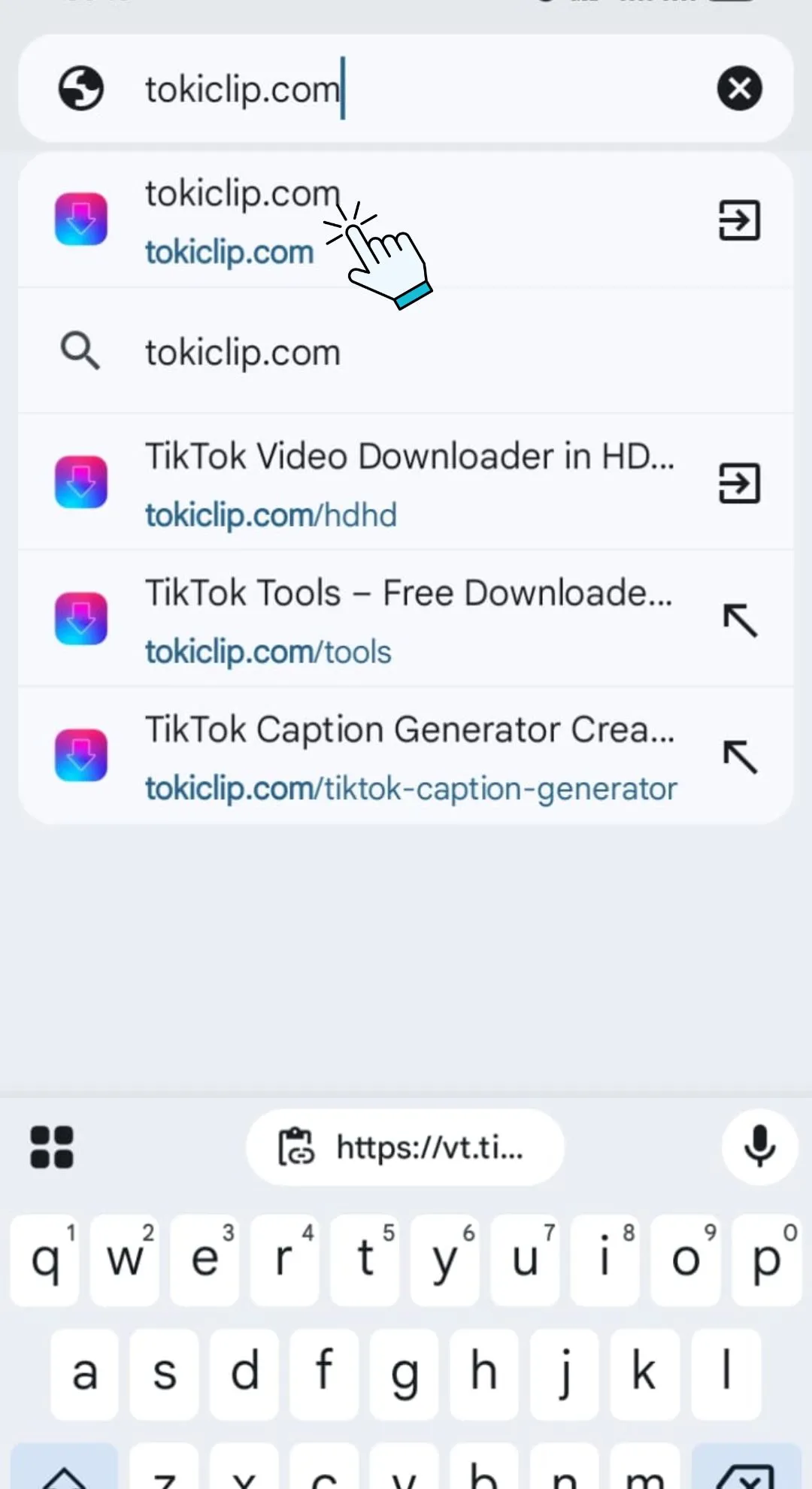
Open TokiClip in Your Browser
Open any browser like Chrome, Safari or Firefox and visit tokiclip.com no app download or registration needed.
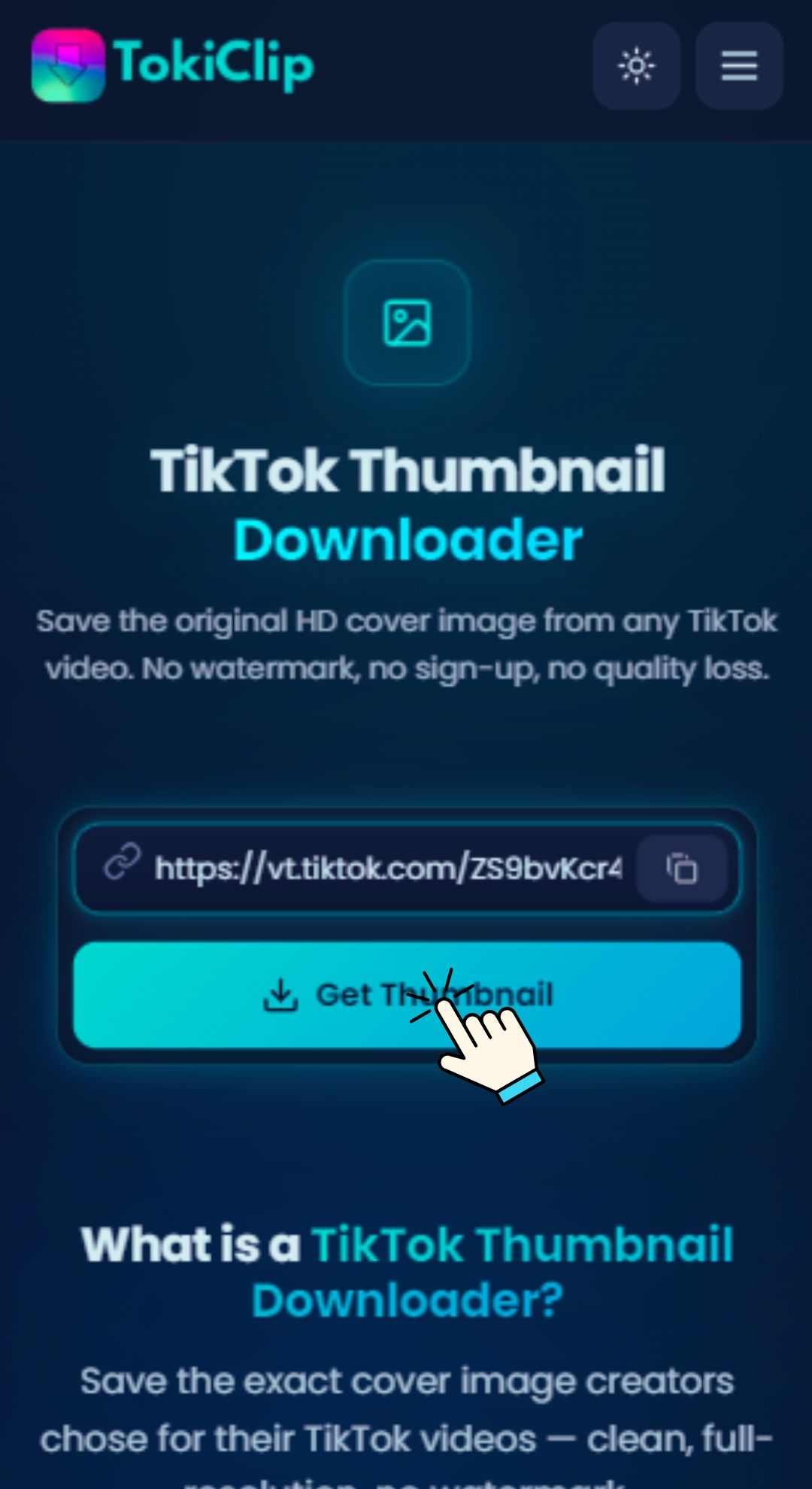
Paste into TokiClip
Open TokiClip and paste the copied link into the input field above, then click "Get Thumbnail".
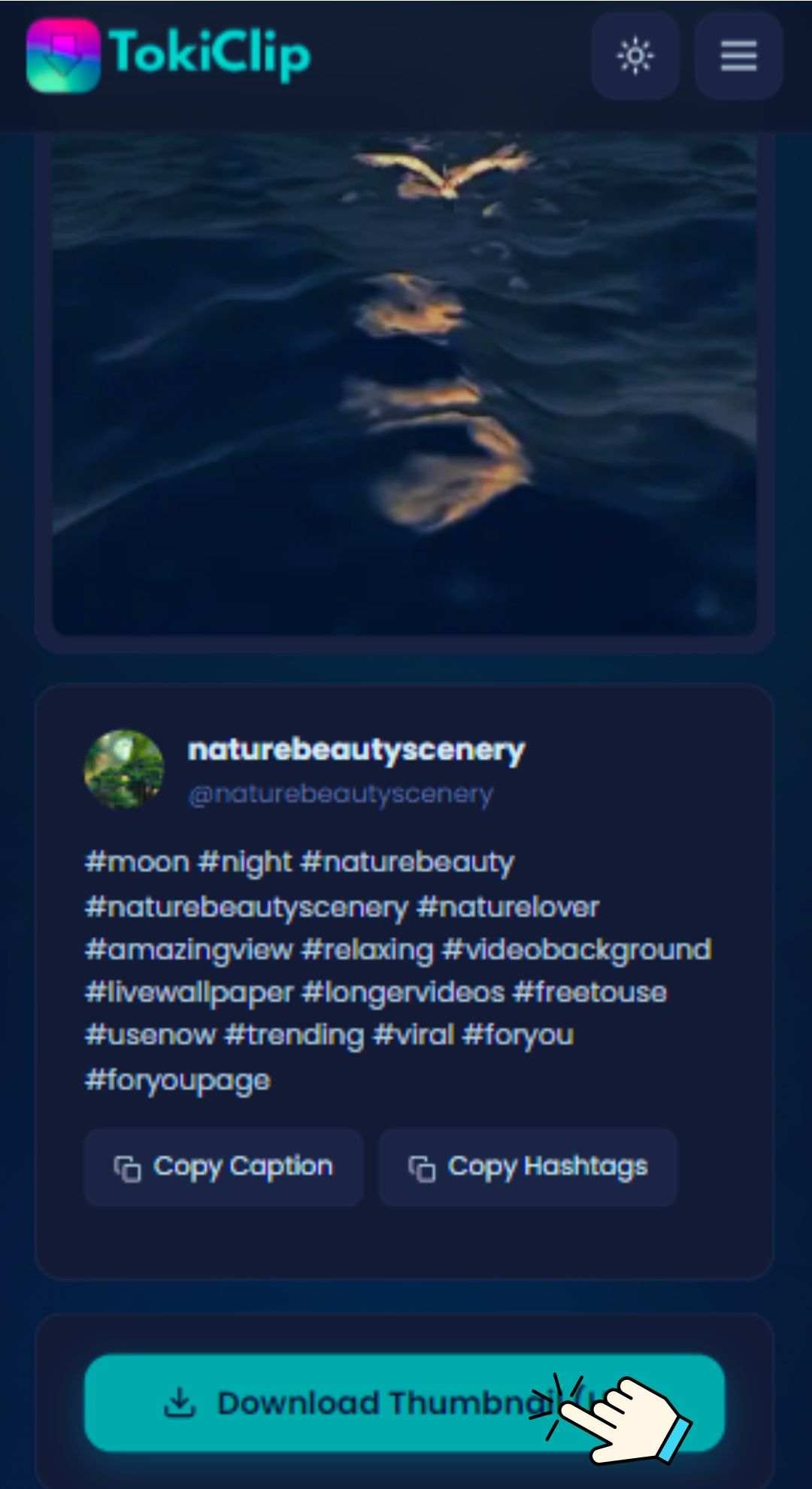
Download the Thumbnail
Preview the cover image and click the Download button to save it to your device in HD quality.
Works on All Devices
Use TokiClip directly in your browser — no app installation required, on any device.
PC & Laptop
Open any browser, paste the TikTok link and save the thumbnail image directly to your device.
Android & iPhone
Copy the video link from the TikTok app, paste it in your mobile browser and download.
Tablet & iPad
Works seamlessly on tablets with any modern browser. No app installation required.
Safety & Privacy
Your privacy is our priority. TokiClip processes links securely without storing any user data.
No Data Collection
No personal information is collected or stored. Use the tool anonymously every single time.
Secure Connection
HTTPS encryption protects your browsing session from start to finish.
No Server Storage
Thumbnails are not stored on our servers. Temporary processing only — your file is gone the moment you have it.
Respect Creator Rights
Please respect copyright and intellectual property when downloading thumbnails. Use downloaded content for personal purposes only.
TikTok Thumbnail Downloader FAQ
Quick answers to the most common questions about saving TikTok cover images.
How do I download a TikTok thumbnail?
What resolution are the thumbnails?
Is it free to use?
Can I download thumbnails on my phone?
What format are the thumbnails saved in?
Thumbnail not loading?
Can I use downloaded thumbnails commercially?
Does it work with private TikTok videos?
More Free TikTok Tools
Everything else creators need — downloaders, AI generators and analytics, all free.
TikTok Video Downloader
Download TikTok videos in HD without watermark.
TikTok Audio Downloader
Extract MP3 audio from any TikTok video.
TikTok Photo Downloader
Download TikTok photo slideshow images in HD.
TikTok Profile Picture Downloader
Save any TikTok profile picture in full HD.
TikTok Private Video Downloader
Save your own private TikTok videos.
TikTok Story Downloader
Download TikTok stories before they disappear.
TikTok Title Generator
Generate viral TikTok video titles with AI.
TikTok Caption Generator
Write engaging TikTok captions in seconds.
TikTok Hashtag Generator
Find trending TikTok hashtags for any niche.
TikTok Username Generator
Brainstorm catchy TikTok usernames with AI.
TikTok Username Search
Look up any TikTok user and view their stats.
TikTok Engagement Calculator
Estimate your TikTok engagement rate instantly.
TikTok Money Calculator
See how much TikTok creators earn per post.
TikTok Comment Picker
Run fair giveaways with random comment picking.
TikTok Comment Generator
Mock up TikTok comments for memes and demos.
TikTok Followers Generator
10 personalised, organic TikTok growth strategies for any niche.
TikTok Font Generator
Stylish unicode fonts for TikTok bios and captions.
TikTok QR Code Generator
Create a scannable QR code for your TikTok profile.